
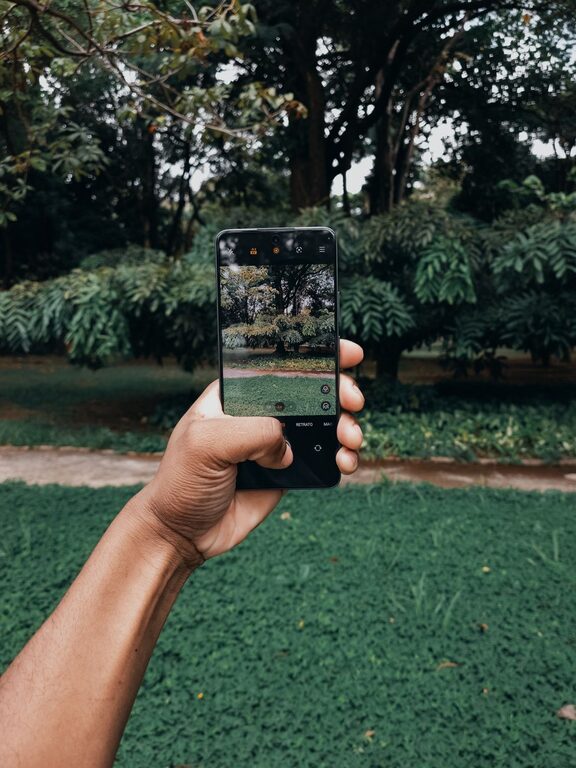
Taking great photos with your phone is easier than you might think. Today’s smartphones have powerful cameras packed with features, making it possible for anyone to capture beautiful images. Whether you’re new to photography or just want to improve your phone photos, these beginner tips will help you see the world through a better lens.
Understanding Your Phone Camera
Before jumping into photo techniques, it’s important to get familiar with your phone’s camera. Most smartphone cameras have automatic settings that work well in many situations. But learning to use manual adjustments and built-in features can make a big difference.
– Explore camera modes: Try modes like portrait, panorama, night, or pro mode if available.
– Play with focus and exposure: Tapping on the screen usually adjusts focus and brightness.
– Use gridlines: Turning on gridlines helps compose your shot with the rule of thirds in mind.
Composition Tips for Better Photos
Composition refers to how you arrange elements within your photo. Good composition makes your images more interesting and balanced.
Use the Rule of Thirds
Imagine your screen divided into a 3×3 grid. Place important subjects along these lines or at their intersections. This often creates a more pleasing photo than centering your subject.
Look for Leading Lines
Leading lines are natural or man-made lines that guide the viewer’s eye through the photo. Roads, fences, or pathways are great examples.
Frame Your Subject
Use things like branches, windows, or doorways to create a “frame” around your subject. This adds depth and focus to your photo.
Keep the Background Simple
A cluttered background can distract from your subject. Try to find a clean or plain background whenever possible.
Lighting Basics
Lighting is one of the most important factors in photography. Good lighting can make your photos look professional.
– Natural light is best: Early morning and late afternoon (golden hours) provide soft, warm light.
– Avoid harsh midday sun: It can create strong shadows and overexposed spots.
– Use shadows and reflections: These can add interesting effects to your photos.
– Avoid using the phone’s flash: It often creates harsh, unnatural light.
Stabilize Your Phone
Blurry photos are often caused by shaky hands. Here are ways to stabilize your phone:
– Hold your phone with both hands.
– Lean against a stable surface.
– Use a phone tripod or stand if you have one.
– Use the timer function to avoid shaking when pressing the shutter button.
Focus on the Subject
Make sure your subject is in sharp focus. On most phones, tapping the screen where your subject is will lock focus and adjust exposure. Some phones allow you to lock focus, so it doesn’t change if you move slightly.
Experiment with Angles and Perspectives
Don’t just shoot from eye level. Try different angles:
– Get low to the ground.
– Shoot from above.
– Move around your subject for unique perspectives.
Changing your angle can make a common subject look fresh and exciting.
Use Editing Apps Wisely
Editing can enhance your photos but avoid overdoing it. Many free or paid apps offer tools to:
– Adjust brightness, contrast, and saturation.
– Crop and straighten images.
– Apply filters and effects.
Remember to keep edits natural and subtle for the best results.
Practice Regularly
Like any skill, improving your phone photography takes practice. Challenge yourself to take photos every day or in different settings. Review your photos to see what worked and what you can improve.
Bonus Tips
– Clean your lens before shooting.
– Use burst mode for action shots.
– Keep your phone storage clear for faster performance.
– Backup your photos regularly.
Conclusion
Taking better phone photos is all about understanding your camera, composing your shots thoughtfully, and using light effectively. With practice and these beginner tips, you’ll soon notice improvement in your photos and enjoy capturing life’s moments even more. Happy shooting!
About the Author